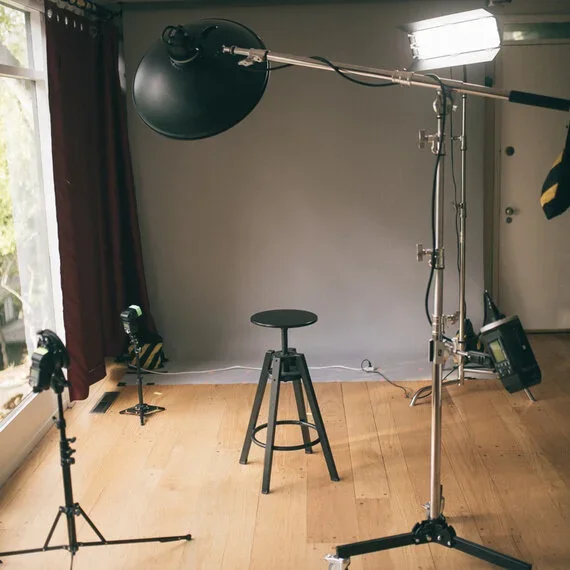
Studio set-up (circa 2019)
Services
Portrait sessions are available by appointment only.
What we offer —
Private, 1-on-1 sessions.
Expert guidance on posing and expression.
Super soft lighting 🔅
Ideal focal length (105mm, f/1.4).
Live preview of images.
Phone consultation (optional).
What we deliver —
Contact sheet(s) (.pdf) with all kept images.
SOOCs (“straight-out-of-camera” images, also called “Light Edits”, at 2k and 4k on the long edge).
Finals (retouched images, generally at 3k).
Outdoors
Outdoor sessions are available in San Diego at select locations, chosen for light, architecture, or nature — typically best in the hour preceding sunset.
To discuss a preferred location and availability, please call or send us a message.
Groups
For on-location services (15 persons or more), please send me a message.
For portrait replicas, please email us with your company’s current design or style.
Gift Cards
Interested in purchasing a portrait session as a birthday or graduation gift? Click here to view our store.
Appointment Types
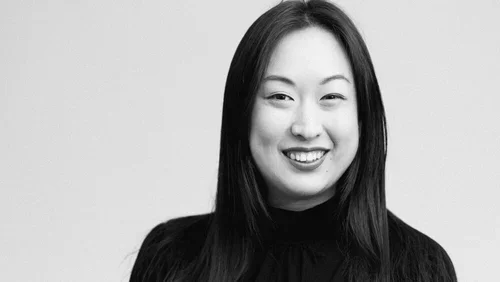
Basic (Economy)
• 25-30 minutes*
• 45-90 images
• 1-2 styles
• Contact sheet (.pdf)
• 4-5 light edits
• Retouching not included
Our most popular package. Useful for professionals who know what they need; straightforward.
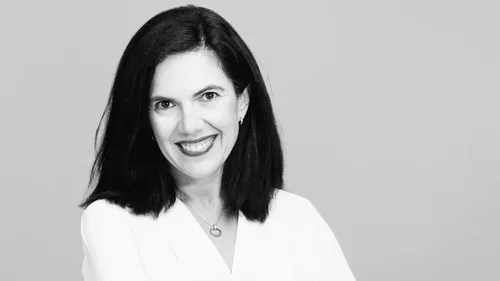
Standard
• 50-60 minutes*
• 90-150+ images
• 2-3 styles
• Contact sheets (.pdf)
• 8-10 light edits
• One retouched (final) image
Designed for those who want flexibility across multiple platforms and a fully retouched final image.
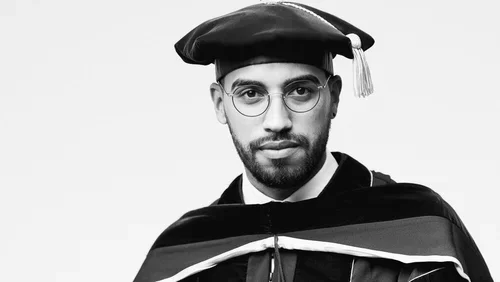
Quick (Budget)
• 10-15 minutes*
• 30-45 images
• 85% gray backdrop
• Contact sheet (.pdf)
• Up to three light edits
• Retouching not included
In and out — for early-stage professionals or students looking for something quick and effective.
Unlimited Portraits for One Year!
Take a moment to consider purchasing an Annual Super Pass, which entitles you to make unlimited headshot appointments for a year. (See in store).
-
You will receive a private Google Drive Link, within it several contact sheets (these contain all the kept images).
I’ll also send you a few of my favorites, which I saw while editing your images.
This step (proofing) is sent within 48 hours, unless my travel is delayed.
(A) Favorites => I’ll include my top 3-5 images, depending on which package you chose.
(B) Contact(s) (pdf) => the contact sheets contain the bulk of the images taken, processed and scrubbed, where duplicates and bloopers were eliminated.
You will send me a list of your favorites:
ex. #4, 5, 9, 31, 45*, 77, 101, 102
I will send these with some light touch-ups, in 2k and 4k resolution (2000px and 4000px on the long edge).
The asterisk indicates the favorite image, which will be retouched.
Retouching takes 3-5 days.
Clients can request specific edits or adjustments after receiving their first revisions, each named as follows (edit-1, edit-2, edit-3, …).
-
Standard timeline:
1. Phone consultation (optional).
2. Deposit (50%) to set an appointment (required).
3. Rescheduling (cannot reschedule without notice given at least seven days before the date of appointment).
4. Date-of-shoot.
5. Favorites and Contact Sheets (pdf), sent within 48 hours (second payment obtained immediately after proofing is transmitted).
6. Your choice of Light Edits (SOOCs) and Finals (images chosen for detailed retouching).
7. Light Edits sent.
8. Photoshop edits within 3-5 days.
9. Additional edits ($85/final) and SOOCs ($25/image) (optional).
-
Seeing your images during and after the shoot is an important part of your portrait experience.
You will view the images during the shoot.
This helpful as you will see and know if things are going on the right path — and if something needs to be changed.
After the shoot, you have access to the Contact Sheets (pdf), which contain all culled images from the shoot.
The goal is to create a seamless experience, minimizing any risk along the way.
-
My goal is to offer the opportunity to be photographed in a relaxed manner.
While I do the best with each person, I cannot guarantee everybody will love the way the pictures turned out.
If the images were taken properly, but client was not fully prepared (e.g. lacking sleep, clothes), a re-shoot is not included. A re-shoot is possible based on technical errors on the photographer’s part.
-
My standard Photoshop process for retouching an image includes:
• Dimension adjustment (increasing width of images i.e. widening the sides/top, cropping image to match aspect ratio)
• Blemish removal (acne, insect bites)
• Skin texture (clothing wrinkles, skin roughness, crow’s feet, etc.)
• Contouring (selective lighting shallows and highlights on skin)
• Coloration (adjusted skin tones, lip color, shadow colors)
• Sharpening
• Clothing (shirt color, collar wrinkles, etc.)
• Backdrop (gradients, colors adjustments, etc.)
• Color balance and grading (i.e. total color shifts)
Note I will usually disfavor changes that significantly alter a person’s appearances. I also take requests prior to retouching.
I use Adobe Bridge (ACR) for batch processing, and Adobe Photoshop 2021 for more precise or surgical changes.
-
A picture is a simple idea, but we liked to ask:
Where will your image go?
(LinkedIn, website)
Who’s your primary audience?
(Investors, professional networking, etc.)
Start with the intended purpose
(Size, aspect ratio, resolution, e.g., ERAS residency program, existing corporate website, etc.)
-
While every client essentially gets the same service, images themselves are seldom “one size fits all.”
Each person has unique needs. And an image for social media does not necessarily work well for LinkedIn.
You will examine the images during the shoot — this is helpful if you catch something I did not see.
You’ll have access to the proofs within 24 or 48 hours of the shoot.
You’ll make your selections at home, without being pressured or rushed.
-
The amount of time allotted per appointment actually depends on location.
In Berkeley, because I am renting photography equipment and space, my time is more limited.
In San Diego, I run the studio in a living room, thus provide my traditional and preferred time allotments.
I will tend to go longer than the time allotted, and if you are careful, you could choose a time that is most likely to have breathing space after the official time ends.
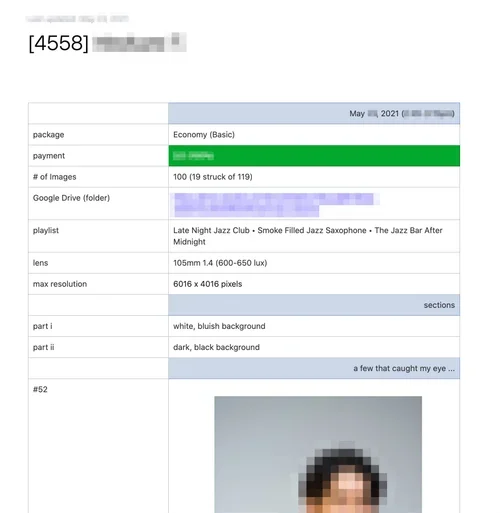
Summary Sheet
A brief overview of your session, with several of my favorites as well.
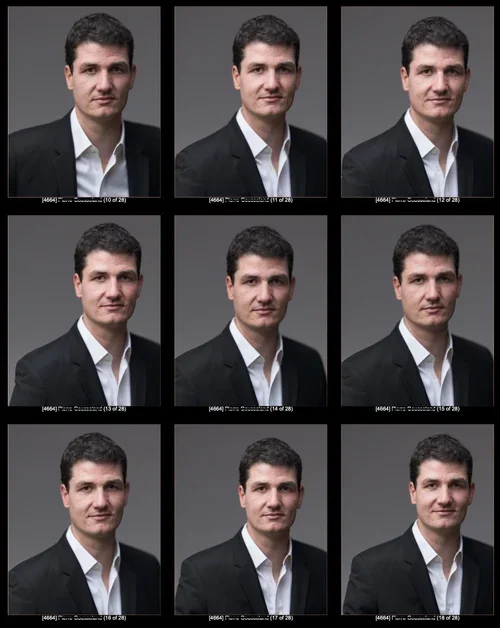
Contact Sheet (.pdf)
Rapidly inspect and compare your previewed images at proper resolution, on a phone or computer, then make selections.